

You’ve made a smart call by running your business on ADP Workforce Now. It centralizes your HR, payroll, time tracking, and workforce data in one place, and that data is one of your most valuable assets. You’re getting stronger compliance, clearer reporting, and smarter decisions across the board.
ADP built its AI approach around a simple idea: technology should support human decision-making, not replace it. That philosophy shows up in tools like ADP Assist, which helps surface workforce trends and keeps your people data organized and accessible.
But what if you want to forecast staffing demand or automatically build and optimize your schedules?
ADP mastered Payroll and HR management. Scheduling, especially for shift-based teams, is a completely different beast and demands its own dedicated solution. That’s where AI scheduling comes in, and what MakeShift was built to deliver. Let’s dig into how to accelerate ADP Workforce Now with AI Scheduling.
- How AI Scheduling Works (And Why It’s a Different Job Than ADP’s)
- How MakeShift Adds AI Scheduling to ADP Workforce Now
- The Hollyburn Story Demonstrates Automated Scheduling in Action
- Why ADP Clients Are Adding a Dedicated Scheduling Solution
- Do You Need a Dedicated Scheduling Solution?
How AI Scheduling Works (And Why It’s a Different Job Than ADP’s)
The phrase “AI scheduling” gets tossed around a lot, and most of the talk around it is pretty vague. Here’s what it means, and why adding it to your ADP tech stack will enhance your system and your scheduling.
Great data still isn’t a schedule
Think of it like architectural blueprints. They’re essential: insanely detailed and packed with information about the future structure. But a rolled-up blueprint has never poured a foundation or welded steel components. A knowledgeable project manager still has to line out the crews and adjust on the fly when a delay throws off the plan.
It’s no different with scheduling. Having accurate workforce data is the starting point. But the real value shows up when that data is turned into a live, optimized, compliant schedule that also factors in employee wellness. Without a dedicated scheduling layer, that work falls back on managers and is handled manually for every single schedule.
What scheduling complexity really looks like
If you’re managing more than one location, you already know how fast this gets complicated and, frankly, overwhelming. Every site has its own labor rules. Union agreements, skill requirements, and fatigue policies all apply differently depending on who’s on the clock.
Then employee availability, preferences, and last-minute changes get whipped into the mix. Each variable compounds the chaos and multiplies a handful of rules across dozens of employees and multiple locations, and you get a scheduling puzzle no spreadsheet was built to solve.
What true AI scheduling delivers
Real AI staff scheduling goes beyond a dashboard of insights. It means demand-based scheduling that matches staffing to real-time need, constraint-aware builds that factor in labor laws, skills, and fairness, and automated monitoring for employee burnout.
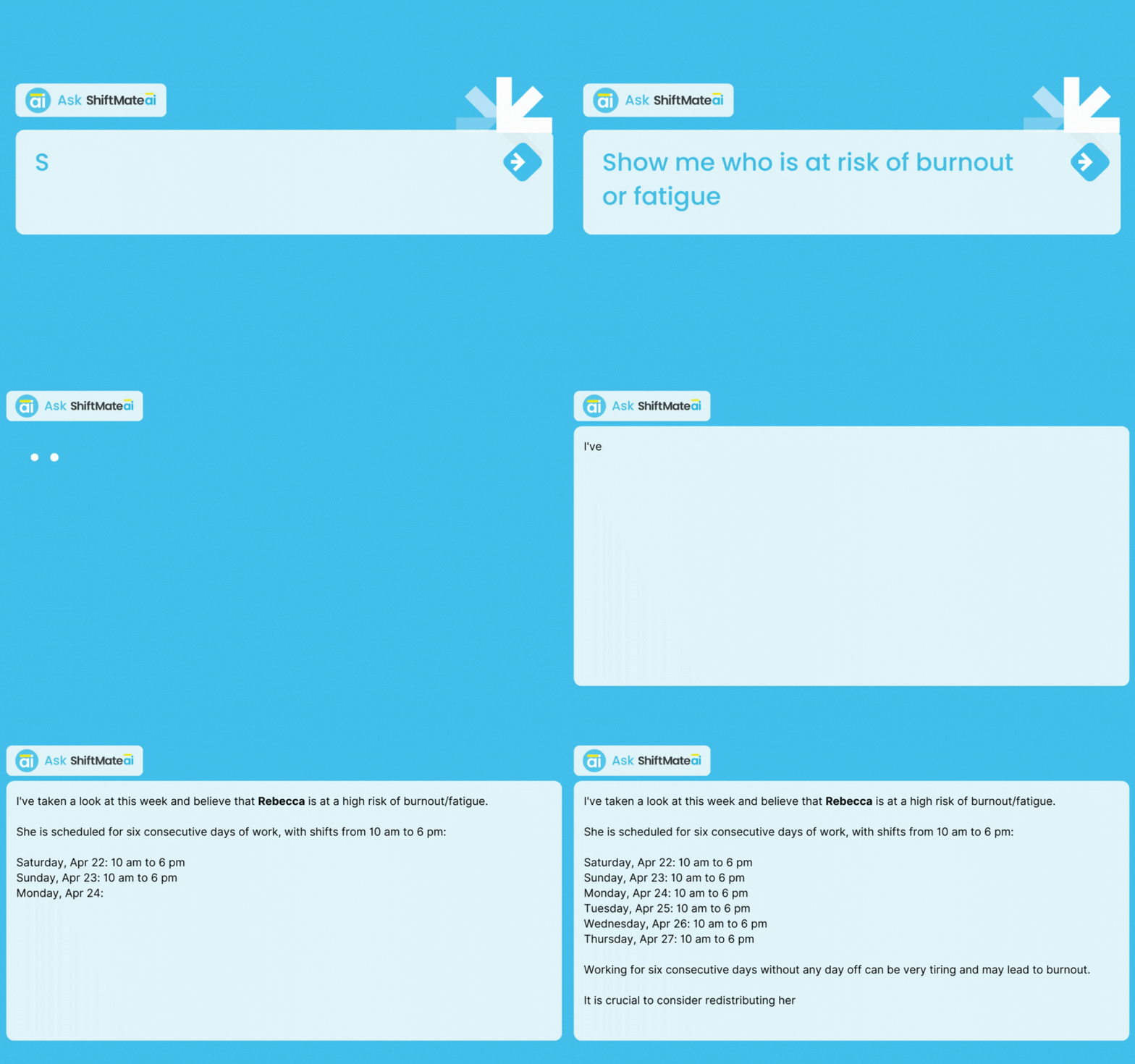
It also means giving employees self-service tools that reduce manager admin instead of adding to it.
How MakeShift Adds AI Scheduling to ADP Workforce Now
Wondering what a MakeShift integration looks like once it’s up and running? No copy-and-paste or starting each staff schedule from scratch. Just automated staff scheduling powered by AI. MakeShift plugs into the ADP setup you already have and builds the scheduling component on top of it.
Step 1: Connect MakeShift to your ADP data
MakeShift syncs directly with ADP Workforce Now, pulling in employee records, time-off requests, and workforce structure. No duplicate entry. No manual reconciliation. Setup runs cleanly in the background, and your existing ADP data becomes the engine behind every schedule.
Step 2: Let ShiftPredict forecast demand and build your schedule
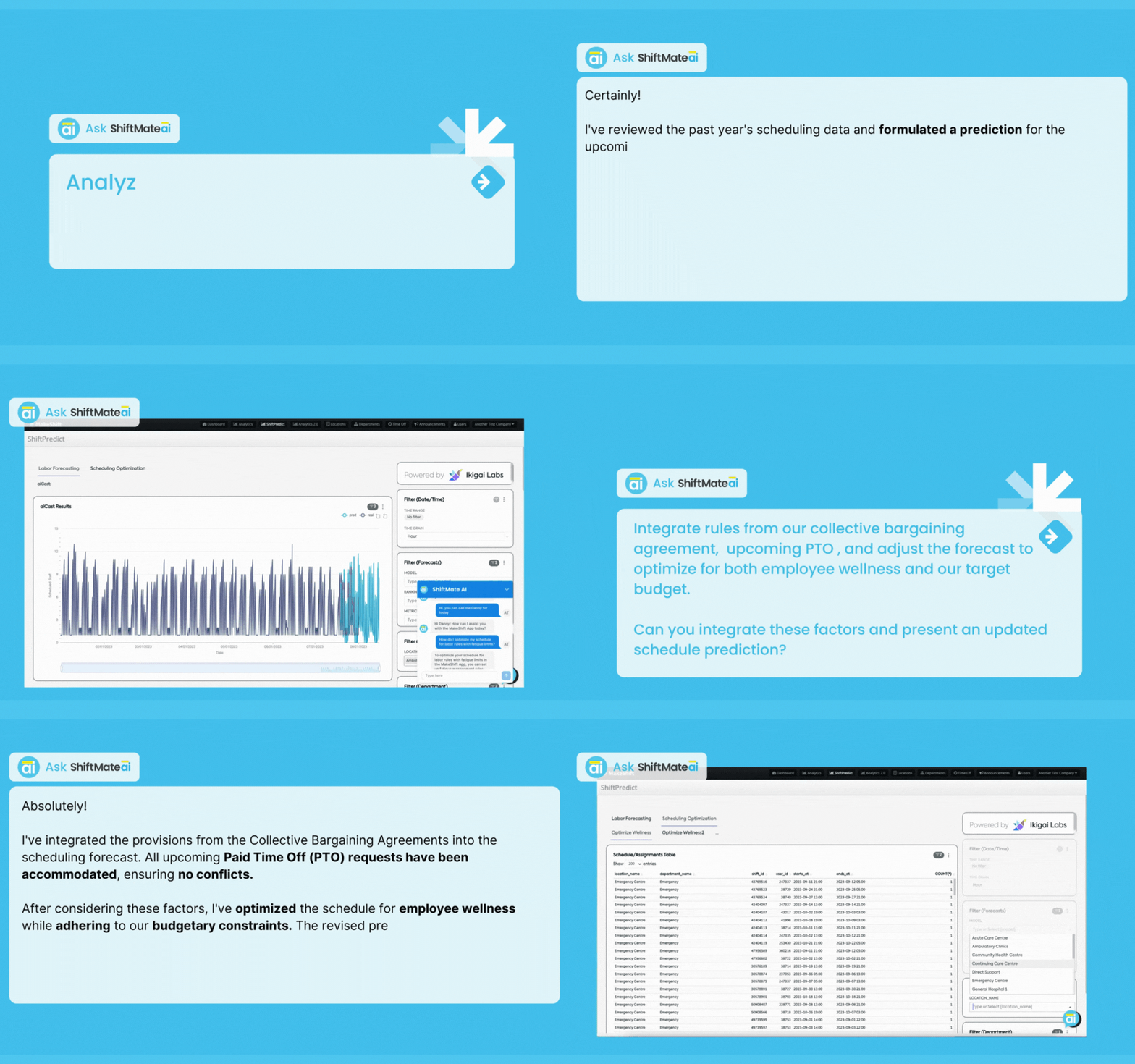
This is where the actual forecasting happens. ShiftPredict analyzes historical scheduling patterns, shift swaps, collective bargaining rules, and real-time external factors to predict staffing needs and automatically generate optimized schedules, accounting for labor rules, roles, availability, and budget all at once. What used to take hours of manual work now takes minutes.
Step 3: Give managers real-time answers
.gif?width=1316&height=823&name=Shift%20Requests%20(1).gif)
ShiftMate AI turns your workforce data into conversational, actionable answers. Ask “Who’s available this Saturday?” or “Where are we at risk of overtime?” and get a straight answer without digging through reports.
Step 4: Put employees in control
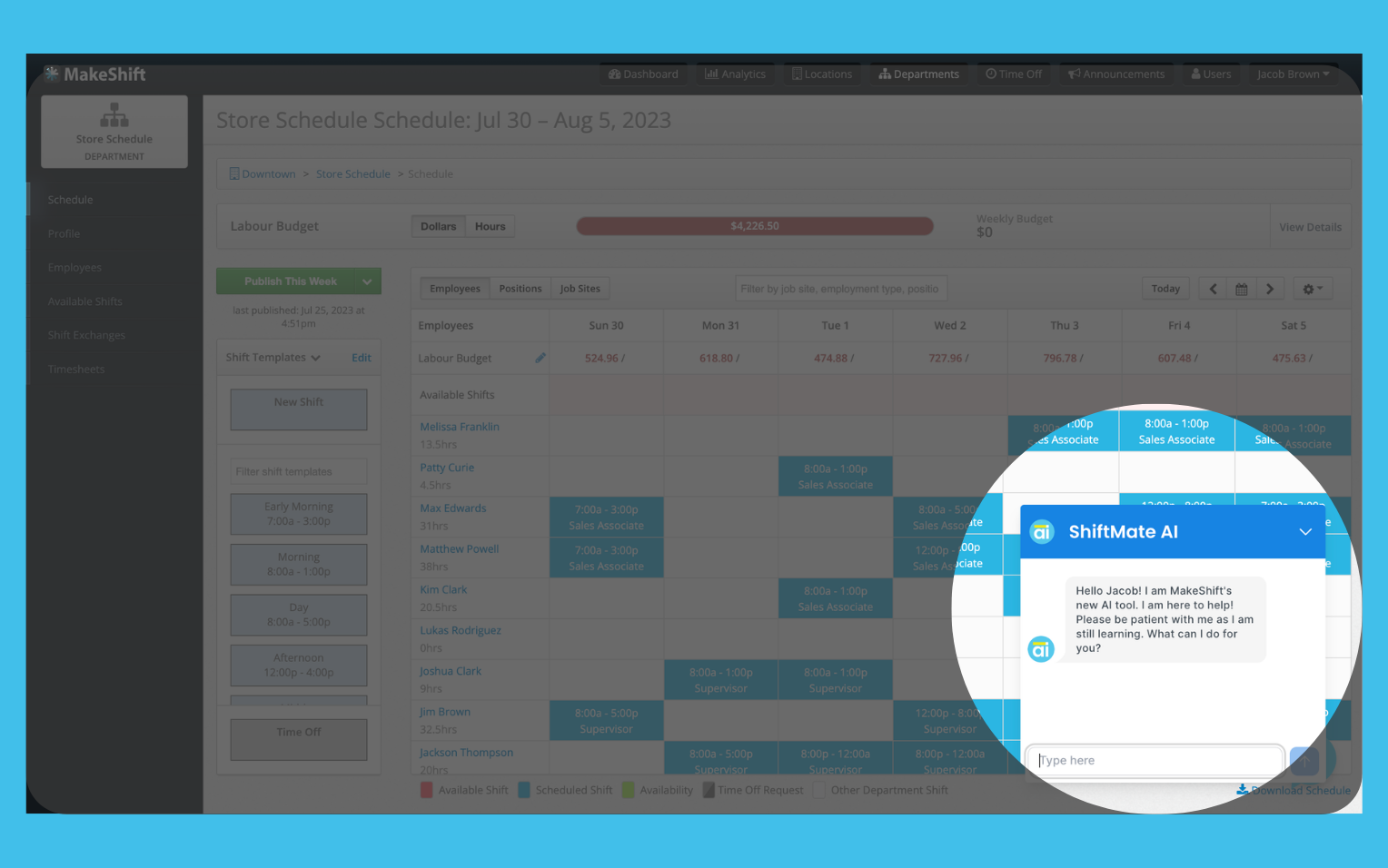
Employees can request shifts or time off, swap coverage, and manage availability right from the app. SmartSupport gives them real-time scheduling help around the clock, which means fewer requests landing in a manager’s inbox.
The Hollyburn Story Demonstrates Automated Scheduling in Action
Hollyburn Family Services has supported children, youth, adults, and families in the Greater Vancouver area since 1990. With a large part-time workforce, its scheduling challenge centered on filling every shift while honoring employee preferences.
Before MakeShift, supervisors spent hours manually building schedules, then even more time calling employees one by one to cover vacant shifts. The administrative load was crushing, and it pulled people away from the work that actually mattered.
After adding MakeShift to their existing ADP setup, Hollyburn experienced:
- Reduced overtime costs, with real-time visibility that lets supervisors catch and manage it before it happens.
- Increased scheduling accountability, with management able to see schedules updated in real time.
- A better employee experience, since every staff member can now access and manage their own schedule.
As Laurie Dalzell, Hollyburn’s Relief & Recruiting Manager, put it:
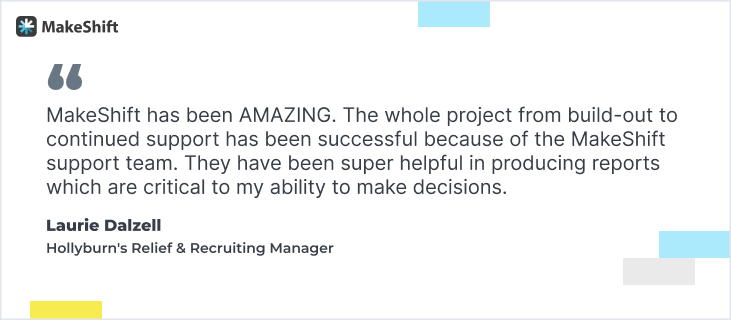
“MakeShift has been AMAZING. The whole project from build-out to continued support has been successful because of the MakeShift support team. They have been super helpful in producing reports which are critical to my ability to make decisions.”
ADP gave Hollyburn the data foundation. MakeShift turned that foundation into schedules that run themselves.
Why ADP Clients Are Adding a Dedicated Scheduling Solution
Hollyburn isn’t an outlier. Across ADP’s client base, the same pattern shows up: businesses that pair ADP with a dedicated scheduling tool get more out of both. Here’s why that combination works.
Best-in-class at what it’s built for
ADP is the gold standard for payroll, HR, and workforce data. MakeShift is purpose-built for scheduling automation and AI-driven workforce optimization. These aren’t competing tools. They complement each other, which is why MakeShift has become an ADP Marketplace Platinum Partner.
The case for specialization
Payroll software and scheduling software are solving different problems. It’s like the difference between the flight crew that logs and tracks every flight in the system, and the controller in the tower making real-time calls on who lands next. Both roles matter. Neither one can do the other’s job.
You wouldn’t ask your payroll system to run your CRM, and the same logic applies here: a purpose-built scheduling layer handles the complexity that other-purpose tools weren’t designed for.
What the full stack looks like
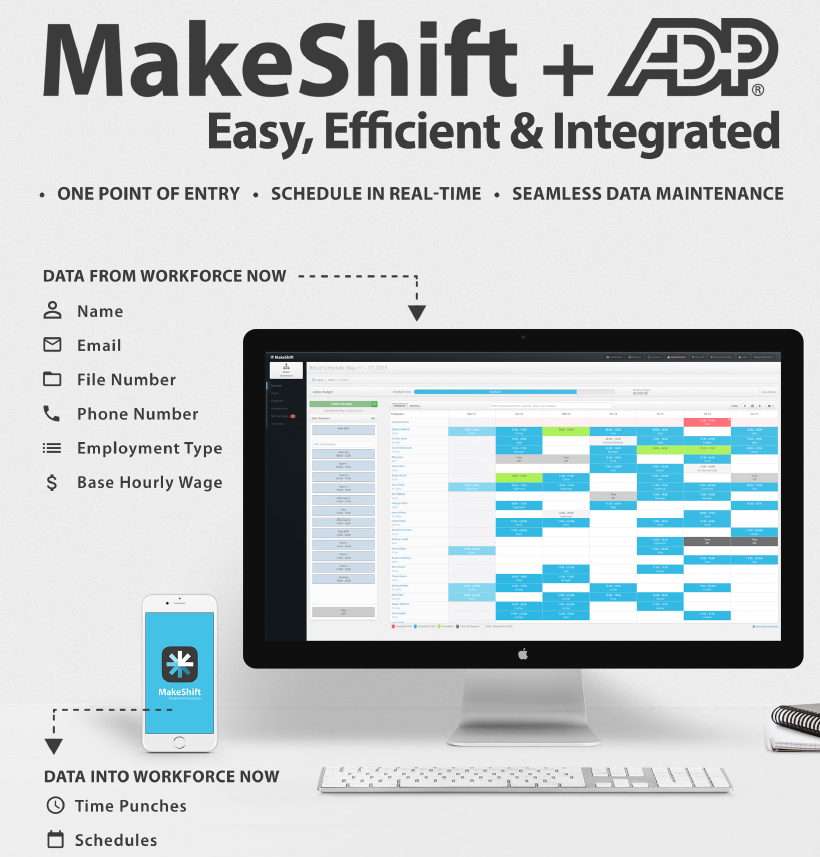
ADP: data, HR, payroll, compliance, workforce intelligence
MakeShift: AI-driven demand forecasting and schedule execution, plus employee experience
| What ADP Workforce Now handles | What MakeShift adds |
|---|---|
| Payroll, HR data, and compliance as the system of record | AI demand forecasting (ShiftPredict) that predicts staffing needs |
| Time & attendance and employee records | Automated, optimized schedule building |
| Centralized workforce data and reporting | Employee availability shown right on the schedule as you build |
| Standard scheduling and shift viewing | Open-shift broadcasting & claiming, real-time labor budgets, self-service app |
And you get to choose how much of MakeShift you need. Some businesses add scheduling on its own. Others pair scheduling with time tracking for one connected workflow. Either way, the result is a complete workforce management system, from forecast to fully built schedule.
Do You Need a Dedicated Scheduling Solution?
First things first. Figure out if adding a dedicated scheduling solution to ADP makes sense for your team. Start by taking an honest look at where scheduling might be costing you time and money.
Ask yourself 3 questions:
- How much time are managers spending building and fixing schedules each week?
- Are scheduling errors flowing into payroll or compliance?
- Are employees satisfied with how shifts are communicated and managed?
If the answers point to lost time, rising costs, or frustrated employees, it’s time to add a dedicated scheduling solution.
FAQ
Does MakeShift integrate with ADP Workforce Now, or does it require manual data transfers?
MakeShift integrates directly with ADP Workforce Now, no manual transfers required. The integration syncs employee info (name, email, phone number, employment type, and base wage), approved time off, and published schedules between the two platforms automatically. Worker and time-off data sync daily on a schedule and can also be triggered manually when needed. Schedules sync from MakeShift to ADP as soon as they’re published.
On Workforce Now and Essential Time, managers and employees can even use single sign-on with their existing ADP credentials, so there’s no separate login to manage.
Does MakeShift work with other ADP products besides Workforce Now?
Yes. In addition to ADP Workforce Now, MakeShift integrates with other ADP time and workforce products, including ADP Workforce Now Essential Time, ADP Workforce Now Next Generation, and ADP Vantage. Since integration depth can vary by ADP configuration, it’s worth a quick conversation with our team to confirm the setup for your specific product.
Will AI be making scheduling decisions without manager input?
No, and this is by design. Both ADP and MakeShift are built on the principle that AI should augment human decision-making, not replace it. MakeShift’s ShiftMate AI suite generates optimized schedule recommendations and surfaces insights, but managers review and approve before anything goes live. MakeShift has also agreed to comply with ADP Marketplace’s AI principles, which are centered on human oversight, transparency, explainability, and bias mitigation.
What does MakeShift’s AI do that ADP doesn’t already handle?
ADP Workforce Now is an excellent payroll and HR system. It centralizes employee data, handles compliance, and keeps your workforce info organized. What it doesn’t do is forecast staffing demand or automatically build and optimize your schedules. That’s exactly what MakeShift’s ShiftPredict was built for: it analyzes historical scheduling patterns, shift swaps, collective bargaining rules, and real-time external factors to generate schedules that balance business needs with employee wellness.
How long does it take to get MakeShift up and running with ADP?
MakeShift is designed for fast implementation with minimal disruption, usually about 2 weeks. The integration pulls employee data directly from ADP, so you’re not starting from scratch. Onboarding includes account setup and staff training, and the platform adapts to your industry’s specific requirements.
Today’s the Day: Upgrade ADP Workforce Now with AI Scheduling
ADP is the foundation you can count on. MakeShift turns that foundation into schedules that build themselves, adapt in real time, and put control back in your team’s hands.
Less time patching gaps in a spreadsheet. Less overtime you didn’t plan for. More time actually leading your team.
That’s the difference between having the data and doing something with it.
Scrap building schedules by hand. See MakeShift in action with a free demo.